Automating Social Media Posts: A Practical Workflow for Consistent Publishing
Streamline your social media strategy with automated publishing techniques, enabling your team to focus on creativity while maintaining consistent engagement across platforms. Discover a practical workflow that optimizes planning and approval processes for effective social content management.
PostlessSeptember 2, 202611 min read

Most social teams do not have a content problem — they have a publishing problem. Ideas pile up, approvals drift, and the same posts get manually copied into three or four platforms every week. By the time everything is ready, the best posting window is often gone.
That is where automating social media posts becomes useful. Not as a way to remove strategy, but as a way to remove repetitive scheduling work that slows teams down. When the planning is done once and the workflow is reliable, your team can keep a steady cadence, publish on time, and spend more energy on creative work, campaign performance, and better content decisions.
Below is a practical workflow for turning social publishing into a repeatable system — from planning to approval to scheduled queue to reporting.
Why automating social media posts matters for modern marketing teams
For modern marketing teams, consistency is usually the hardest part of social media management. One week the schedule is full. The next week someone is out, a campaign is delayed, and the queue goes silent. Automation helps fix that by making publishing less dependent on manual follow-through.
The real payoff is simple:
- Less manual work: No more logging in to post the same message on multiple channels.
- More consistency: A planned cadence is easier to maintain when posts are queued in advance.
- Fewer missed publishing windows: Automation helps posts go out at the right time even when the team is offline.
- Faster approvals: Stakeholders can review content once before it is scheduled, instead of chasing updates after the fact.
- Better use of creative time: Instead of repeating scheduling tasks, marketers can focus on stronger copy, better visuals, and campaign iteration.
Automation is not strategy replacement. It is workflow cleanup.
A good example is a small marketing team that batches one week of content every Friday. They draft posts for blog promotions, product updates, and customer stories, then schedule them across LinkedIn, Instagram, and X for the following week. The team only has to approve each post once. After that, the scheduler handles delivery automatically. That one change can turn a chaotic publishing routine into a predictable system.
If you are also publishing visual-first content, it helps to pair your automation workflow with a platform-specific plan. For example, Instagram Stories need a different pacing and measurement approach than feed posts, which is why a guide like IG Stories: A Practical Guide to Planning, Scheduling, and Measuring Instagram Stories can be useful alongside your main calendar.
What to automate first: the highest-value scheduling tasks
The best way to start is not by automating everything. Start with the tasks that happen repeatedly and do not require much human judgment once the message is approved.
Automate these first
- Post scheduling: Queue posts in advance instead of publishing manually.
- Recurring campaigns: Reuse approved messaging for product launches, webinars, and seasonal promotions.
- Cross-platform publishing: Adapt one core message for multiple channels and schedule each version in the right place.
- Evergreen content: Repost high-value educational content, blog promotions, FAQs, and case studies on a regular cadence.
- Approved asset distribution: Push finalized creative, captions, and links into a scheduled queue.
These are high-value because they consume a lot of time and are easy to standardize.
Keep these manual
Some tasks should stay human-led:
- Final copy review
- Audience-specific edits
- Sensitive replies or comments
- Newsjacking and timely responses
- Approvals for regulated or high-risk content
Automation works best when the message and timing are already approved in the planning stage. If the strategy is still changing, do not rush to lock it into a queue.
Start with the easiest content types
A practical first step is to automate:
- Evergreen educational posts
- Product updates
- Approved campaign assets
These are usually the safest to schedule because they already have a clear owner, a clear purpose, and a low risk of needing same-day changes.
Map the calendar before you queue anything
A content calendar should translate into scheduled posts, not just ideas in a spreadsheet. Set up your plan around:
- Themes for the week or month
- Channels for each post
- Time slots based on audience behavior
- Variations for each platform
That way, automation is just the final step in a process that is already organized.
For a quick comparison of how scheduling systems support planning and queueing, tools like Hootsuite’s publishing calendar and Adobe Express’s content scheduler show how calendars, drafts, and auto-publishing can work together.
How to build a repeatable automation workflow from content plan to publish
The most reliable automation systems are built from a simple process. Keep the steps consistent so your team knows exactly what happens before a post goes live.
Step 1: Collect content ideas
Pull ideas from:
- Product launches
- Blog posts
- Customer stories
- Sales collateral
- Event updates
- FAQs from support or sales
Do not wait until the calendar is empty. Build an idea bank that feeds the workflow every week.
Step 2: Turn ideas into a content plan
Organize your ideas into a weekly or monthly plan with:
- Content pillars
- Channel assignments
- Owners
- Deadlines
- Priority levels
This is where marketing teams stop thinking in isolated posts and start thinking in campaigns.
Step 3: Draft platform-specific copy
One message should not be copied blindly across every channel. Adapt the post to each platform by changing:
- Hook
- Length
- CTA
- Format
- Hashtags or mentions
Attach the final asset, landing page link, and tracking parameters at this stage. If you are using UTMs, make sure every scheduled post has a clean and consistent naming structure.
Step 4: Add approvals before scheduling
A good workflow includes one approval checkpoint before anything enters the queue.
That prevents:
- Last-minute rewrites
- Unapproved visuals
- Broken links
- Incorrect campaign messaging
Approvals should be fast and clearly assigned. The goal is not to create more layers. It is to avoid Slack chaos and screenshot-based feedback.
Step 5: Auto-publish and monitor performance
Once approved, the scheduler publishes posts automatically at the planned times. After publication, track:
- Reach
- Engagement
- Click-throughs
- Saves
- Replies
- Channel-by-channel performance
That feedback should feed your next planning cycle.
Sample workflow: draft to report
A simple repeatable flow looks like this:
Idea intake → weekly content plan → draft post copy → asset and link attachment → approval → scheduled queue → auto-publish → performance review
If your team can follow that sequence every week, your publishing process becomes much easier to maintain.
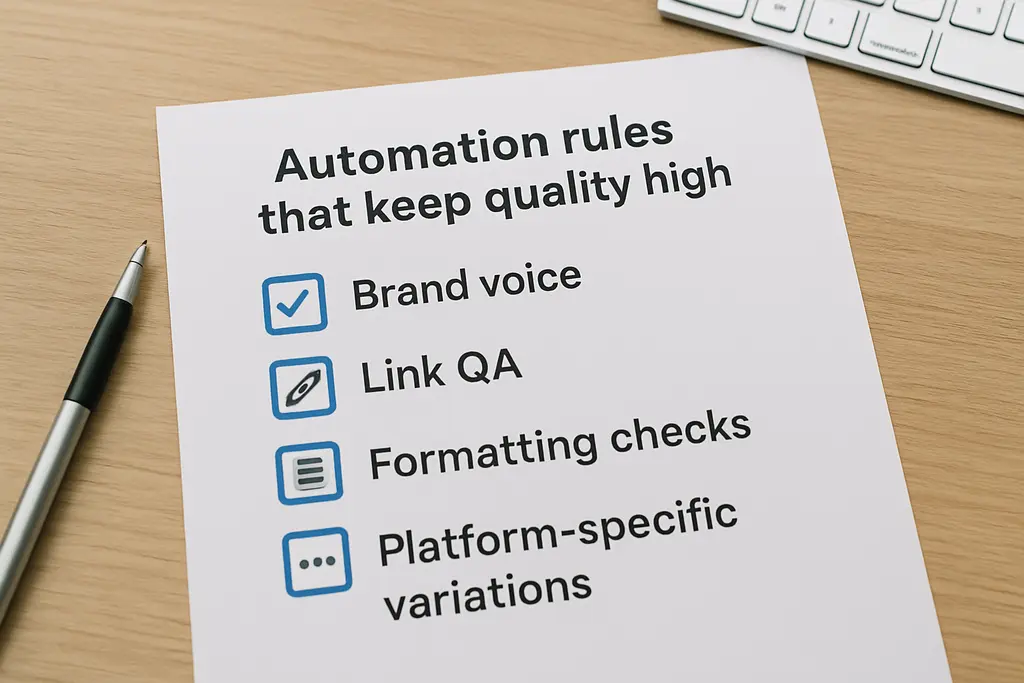
Automation rules that keep quality high
Automation can improve consistency, but only if you set guardrails. Without them, scheduled content can start to feel robotic, off-brand, or outdated.
Set standards for the basics
Make sure your workflow includes rules for:
- Brand voice
- Formatting
- Link hygiene
- UTM usage
- Tag and mention accuracy
- Image dimensions
A single broken link or wrong tag can ruin an otherwise solid post.
Use channel-specific variations
Even when the core message is the same, each channel should get a version that fits the format. A LinkedIn post may be more direct and professional. An Instagram post may be more visual and concise. A short-form post might need a stronger hook.
Cross-posting is useful, but identical copy everywhere is usually a sign that the workflow needs more editorial review.
Create QA checks
A recurring quality check can catch the most common problems before posts go live:
- Are the visuals the right size?
- Does the caption match the channel?
- Are all links working?
- Are hashtags relevant?
- Are mentions spelled correctly?
Leave room for timely manual posts
Automation should not block your team from posting in the moment. If a customer win, product update, or industry event deserves immediate coverage, your workflow should allow manual publishing without disrupting the queue.
Watch posting frequency
Too much automation can lead to audience fatigue. Set frequency caps so your channels do not become overloaded with repetitive promotions. A balanced mix is usually stronger than a high-volume schedule.
A useful rule of thumb is to balance promotional posts with educational, community, and proof-based content. That keeps your feed from feeling like a queue of sales reminders.
Tools and features to look for when choosing a scheduling system
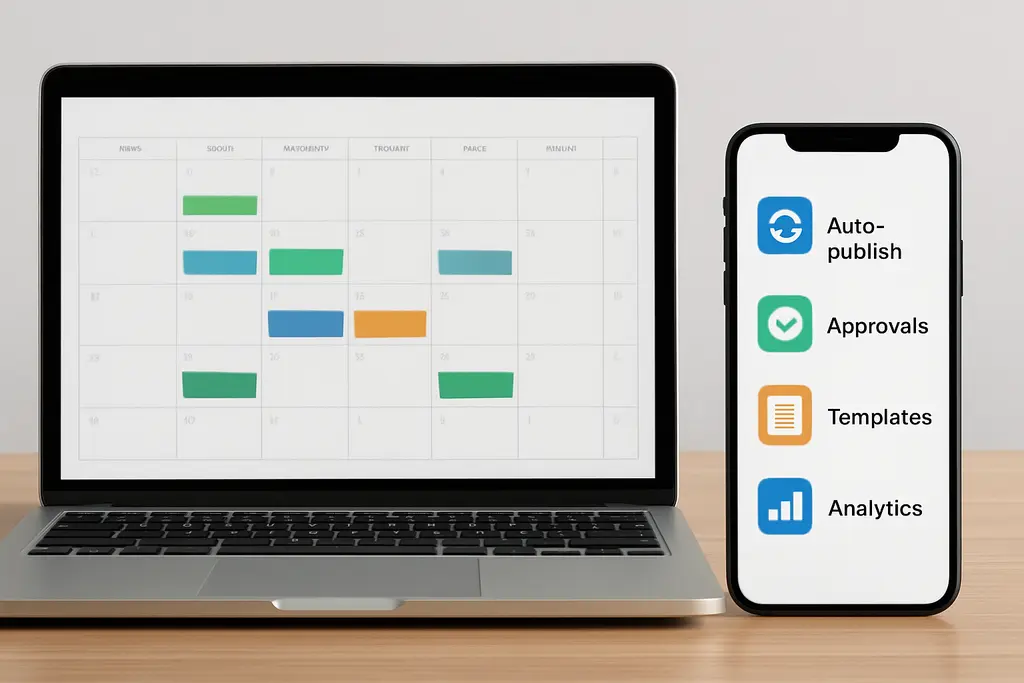
The right tool should reduce friction, not add more process.
Look for these core features
- Calendar view: For planning, batching, and rescheduling
- Auto-publish: So approved posts go live without manual intervention
- Approval workflows: So stakeholders can review before scheduling
- Content libraries: For reusable assets, captions, and templates
- Team permissions: For cleaner ownership and fewer mistakes
- Recurring posts: For evergreen and repeat campaign content
- Queue rules: For maintaining a consistent cadence
- Analytics: To see what is working by format and channel
Analytics matter more than most teams think
Good scheduling software should tell you:
- Best posting times
- Top-performing formats
- Engagement by channel
- Which posts drive clicks or saves
Without reporting, automation is just a delivery engine. With reporting, it becomes part of your optimization loop.
Quick comparison checklist
When evaluating tools, ask:
- Can we plan and approve in one place?
- Can we auto-publish to all of our key channels?
- Can we reuse templates and evergreen posts?
- Can we see performance by channel?
- Can multiple team members collaborate without confusion?
Tools reviewed by publications like Post Planner and Sprout Social emphasize the same basic value: scheduling tools help teams pre-plan, queue, and publish consistently even when nobody is online.
A simple 7-day rollout plan to start automating without losing control
Do not try to automate your entire social operation in one week. Start small and build confidence.
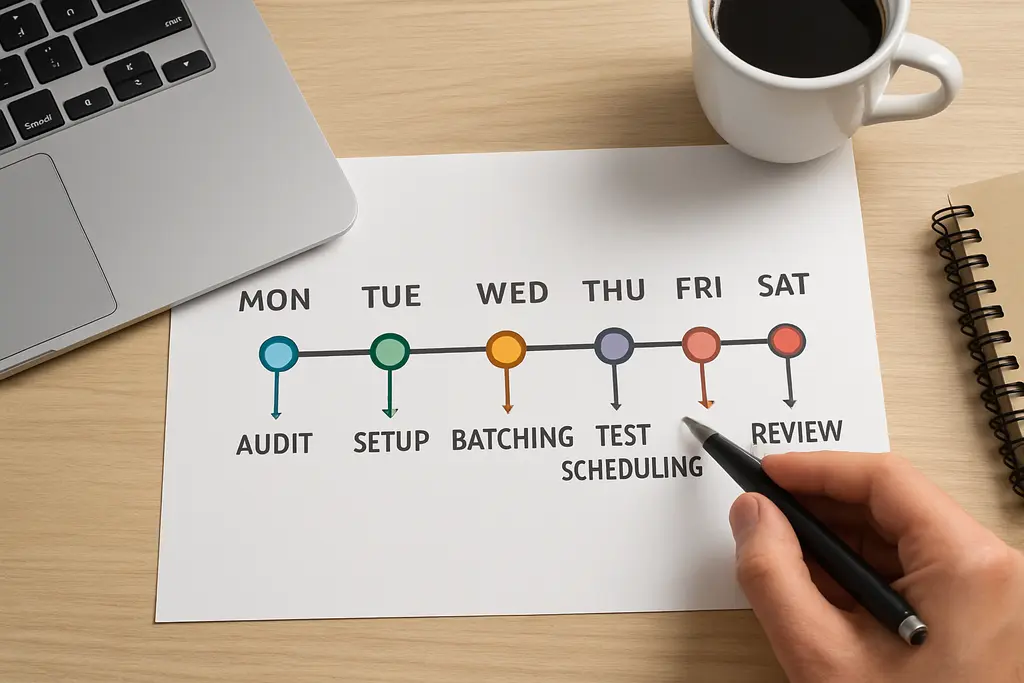
Day 1–2: Audit the current process
Map every manual step:
- Who writes copy?
- Who approves?
- Who schedules?
- Where do errors happen?
- What gets delayed most often?
Look for bottlenecks, not just busywork.
Day 3: Define your rules
Document:
- Content pillars
- Approval owners
- Publishing windows
- Brand voice guidance
- Link and UTM standards
This gives your automation process a clear structure.
Day 4: Prepare 1–2 weeks of content
Create a small batch of posts using a reusable template. Include:
- Final copy
- Assets
- Links
- Tracking parameters
- Channel-specific versions
A template makes the next batch faster.
Day 5: Schedule a test batch
Start with one or two channels only. Use evergreen or low-risk content first. Keep the test small so you can spot issues early without creating extra cleanup work.
Day 6–7: Review and refine
Check:
- Did posts publish on time?
- Were the approved versions correct?
- Did the timing work?
- Which posts performed best?
Then document the final workflow and adjust the calendar rules before scaling up.
The key is to start with a system you can actually maintain. Once the process is stable, you can add more channels, more recurring content, and more automation rules.
FAQ: common questions about social media post automation
What does automating social media posts mean?
It means using a scheduling workflow or tool to publish approved posts automatically at set times.
Should every social post be automated?
No. Evergreen and planned campaign posts are good candidates, but timely or sensitive content should still be reviewed manually.
Does automation hurt engagement?
Not if the content is relevant and well timed. Automation handles delivery; strategy still determines performance.
What is the best content to automate first?
Start with recurring posts, evergreen educational content, and approved campaign updates.
How do teams keep brand voice consistent when automating?
Use templates, approvals, and clear copy guidelines so every scheduled post follows the same standards.
Final takeaway
Automating social media posts is not about handing your strategy over to software. It is about creating a workflow that helps your team publish consistently without daily scrambling.
Start with the repetitive tasks: scheduling, queueing, recurring posts, and cross-platform publishing. Keep editing, approvals, and sensitive content human-led. Build a simple process from idea to plan to approval to scheduled queue, then improve it based on performance.
If your team can keep that system running, publishing becomes much easier to scale — and much harder to miss.