Social Media Planning and Management: A Practical Workflow for Busy Marketing Teams
Effective social media planning and management streamlines the process for busy marketing teams, transforming scattered tasks into a cohesive workflow. By integrating strategy, coordination, and review, teams can eliminate delays and enhance their content output.
PostlessOctober 4, 202617 min read

What social media planning and management actually covers
If your team is looking for a clearer way to run social media planning and management, the answer usually is not “more ideas.” It is a better system for turning ideas into scheduled posts, approved assets, and useful reporting without constant last-minute pressure.
Most teams do not struggle because they lack content. They struggle because strategy, approvals, scheduling, and performance reviews are handled like separate tasks instead of one repeatable workflow. When that happens, posts get delayed, feedback disappears into chat threads, and the content calendar becomes a list of deadlines instead of a practical plan.
At a high level, social media planning and management includes four jobs:
- Planning: choosing what to post, why it matters, and how it supports the month’s goals
- Management: coordinating owners, deadlines, approvals, and assets
- Publishing: scheduling or posting content at the right time
- Reporting: reviewing results and using them to improve the next cycle
Teams often treat those as one broad “social” task. That is where the process breaks down. If the strategy lives in one doc, captions live in another, approvals happen in email, and reporting lives in a spreadsheet nobody opens, the workflow becomes fragile fast.
A broken workflow usually shows up in the same ways:
- Missed deadlines because nobody owns the handoff
- Duplicate work because two people are drafting the same post
- Uneven posting because the team only plans one week at a time
- Unclear approvals because stakeholders do not know when to weigh in
- Burnout because the team is always reacting instead of executing
For many U.S. marketing teams, ownership spreads across a few roles. A content marketer or social media manager may lead planning. A designer handles visuals. A copywriter drafts captions. A brand, legal, or leadership reviewer handles approvals. Marketing ops, demand gen, or a growth team may care most about reporting and campaign alignment. The exact structure can vary, but the workflow works best when every step has a clear owner before the month begins.
That clarity matters because consistency builds trust across channels. When the team can repeat the same process every month, the brand sounds more coherent, campaigns stay aligned, and content stops depending on heroic last-minute effort.
If you are also improving the larger content process behind your social program, this guide pairs well with How to Build a Social Media Content Workflow That Actually Keeps Up and Content Marketing Workflow Tips That Make Social Planning Faster.
Build a monthly plan around goals, audiences, and content pillars

A strong monthly plan starts with one question: what business outcome should social content support this month?
That does not mean every post needs to sell. It means the month should have a clear purpose. For example:
- Drive traffic to a new landing page
- Support a product launch
- Increase engagement on educational content
- Generate more qualified demo requests
- Build awareness with a specific audience segment
Start with one or two goals tied to the month. If you choose too many, the calendar gets noisy and the team loses focus.
Next, define the audience and the customer moments that matter most. A B2B marketing team in the United States may want to reach demand gen leaders, marketing ops managers, or founders evaluating software. Each audience has different questions, objections, and levels of awareness. The same post rarely serves all of them equally well.
From there, turn goals into content pillars. A simple structure works better than a complicated one. Common pillars include:
- Education: teach the audience something useful
- Proof: show results, testimonials, or customer outcomes
- Product: explain features, workflows, or use cases
- Community: highlight people, values, or behind-the-scenes moments
Content pillars make planning easier because they give the team a category for every idea. Instead of asking, “What should we post today?” the team asks, “Which pillar do we need more of this week?”
A practical monthly plan also connects those pillars to content types. For example:
- Educational posts can become carousels, short videos, or text posts
- Proof posts can use customer quotes, screenshots, or case study highlights
- Product posts can explain a feature, a workflow, or a new use case
- Community posts can spotlight employees, customers, or team milestones
This is where a content calendar becomes more than a publishing list. A real content calendar should help the team see the month at a glance. It should show:
- The goal for the month
- The content pillar for each post
- The channel each post is meant for
- The owner responsible for each task
- Draft, review, and publish dates
- Asset needs and approval status
In other words, the calendar should answer operational questions, not just display dates. If it only lists the day and the caption, it is not supporting the team very well. A stronger calendar reduces back-and-forth, prevents duplication, and makes it easier to spot gaps before they become problems.
It also helps to plan with capacity in mind. A team with one marketer and one designer cannot sustainably publish like a 10-person content engine. Build volume around available assets and bandwidth, not aspiration. If the team can realistically support three LinkedIn posts a week and two Instagram posts a week, that is a better plan than promising daily output and missing half of it.
If you want a planning framework to support that calendar build, How to Plan Content for Social Media: A Practical Workflow for Consistent Publishing is a useful companion. For a more operational approach, see Social Media Marketing: A Practical Planning and Scheduling Guide for Modern Teams.
Create a weekly workflow your team can actually maintain
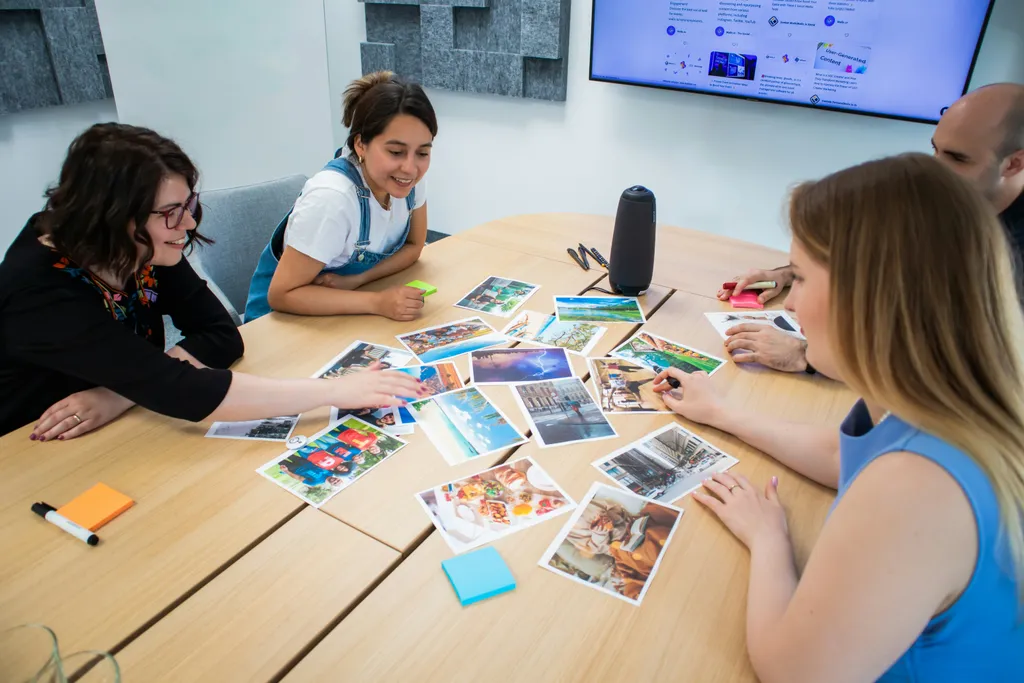
Monthly planning sets the direction. Weekly execution keeps the calendar alive.
The easiest way to make social content manageable is to use one recurring weekly meeting to lock priorities. Keep it short and specific. The goal is not to brainstorm endlessly. The goal is to confirm what gets drafted, what needs assets, what needs approval, and what is ready to schedule.
A simple weekly workflow usually looks like this:
- Review the upcoming week’s content
- Confirm campaign priorities or time-sensitive posts
- Draft captions in batches
- Gather design assets, clips, screenshots, or links
- Route posts for review
- Finalize edits
- Schedule content in the publishing tool
Batching helps because it lowers context switching. When the team drafts multiple posts at once, reviewers can compare tone, remove repetition, and catch gaps more easily. It is faster to review five posts in one sitting than to give five separate rounds of feedback across the week.
That is also where approvals need to be explicit. “Approval” should not mean “someone saw it in Slack and reacted with a thumbs-up.” A good approval process should define:
- Who approves what
- What needs legal, brand, or leadership review
- How feedback should be shared
- How long reviewers have to respond
- What happens if a reviewer misses the deadline
If those rules are not set, approvals become the biggest bottleneck in the workflow. Posts sit in limbo, designers wait on copy changes, and the team ends up rushing the final steps.
A shared calendar matters here too. A content calendar should show more than publish dates. It should show:
- Post owner
- Draft status
- Asset status
- Approver
- Channel
- Publish date and time
- Campaign or pillar tag
If your current calendar only lists dates and captions, it is missing the operational details that prevent bottlenecks. A stronger calendar reduces back-and-forth and helps the team see what is blocked.
Another important rule: collect assets before scheduling. Too many teams write the copy, approve the copy, and then wait two more days for an image, logo treatment, or final screenshot. That delay is avoidable if visual assets are requested early in the process.
Leave room for timely posts, but do not let them wreck the whole plan. Reserve a small portion of the calendar for news, trends, or sales requests that genuinely need flexibility. If something urgent comes up, swap in one of those slots instead of overloading the team’s core production track.
For teams trying to formalize this cadence, Social Media Content Calendar Template: A Practical Workflow for Planning, Scheduling, and Publishing Faster can help turn the weekly process into something repeatable. If scheduling is the main bottleneck, Social Media Post Scheduling for Teams: A Practical Workflow for Planning, Approvals, and Auto-Publishing is worth a look.
Keep your brand voice consistent across people and platforms

As soon as more than one person touches social content, consistency becomes a process problem, not just a creative one.
The fix is to document the rules. Teams move faster when they know what “on brand” means in practice. That means writing down:
- Tone and voice guidelines
- Formatting preferences
- Emoji usage rules
- Preferred calls to action
- Hashtag usage
- Rules for links, mentions, and tagging
A style guide helps, but a living set of examples is even better. Show a few on-brand and off-brand posts side by side. People understand examples faster than abstract descriptions. For instance, a good example may show a concise educational hook, a clear value statement, and a simple CTA. A weak example might be overly promotional, vague, or packed with jargon.
Flexibility should also vary by platform. LinkedIn posts can be more polished and insight-driven. X posts may be shorter and more conversational. Instagram often rewards visual clarity and tighter copy. The brand voice should stay recognizable, but the execution should adapt to the channel.
Templates help here too. Recurring post types become much easier when the team can reuse a reliable structure. Common templates include:
- Tip post
- Customer proof post
- Product update post
- Team or culture post
- Event promo post
- Educational carousel
Templates do not make content generic if they are used well. They remove decision fatigue so the team can focus on the message instead of rebuilding the format every time.
This matters even more when agencies, contractors, or multiple internal teams contribute. Without a shared system, every contributor brings a slightly different tone and formatting style. With a shared system, edits become smaller and approval cycles get shorter.
If your team is choosing tools to support this process, Best Social Media Scheduling Tools for Faster Planning, Approval, and Publishing and Guide to Social Media Management Tools: How to Choose, Use, and Get Results offer a practical lens.
Measure performance without overcomplicating the dashboard

After publishing, the goal is not to track every metric under the sun. The goal is to measure what tells you whether the workflow and the content are working.
Start by tying metrics to the purpose of the post. If the goal is awareness, look at reach and impressions. If the goal is engagement, look at comments, likes, shares, and saves. If the goal is traffic, look at clicks and click-through rate. If the goal is product interest, look at link clicks to demos, pricing pages, or related content.
Useful content performance metrics usually include:
- Reach
- Impressions
- Engagement rate
- Clicks
- Click-through rate
- Saves
- Video views or watch time
- Follower growth
- Conversions tied to social traffic
It helps to understand what each metric is actually telling you:
- Reach and impressions show how many people saw the post and how widely it traveled
- Engagement rate shows whether people found the content worth reacting to
- Clicks and click-through rate show whether the post created enough interest to drive action
- Saves and shares often indicate that the content felt useful enough to keep or pass along
- Video watch time shows whether viewers stayed engaged after the first few seconds
- Conversions show whether social traffic contributed to a business result
Do not stop at platform-level reporting. Compare performance by content pillar. You may discover that educational posts outperform promotional ones, or that customer proof gets stronger engagement than product updates. That insight is more actionable than simply knowing LinkedIn outperformed Instagram overall.
Look for patterns in:
- Hooks
- Formats
- Posting times
- Topics
- CTA types
- Creative style
The point of reporting is not to celebrate the best-performing post once and move on. It is to decide what to repeat, update, or retire. If a format keeps underperforming, stop feeding it into the calendar. If a topic consistently earns saves or shares, build more around it. If a CTA gets clicks but weak conversion, revisit the landing page or the offer.
You should also measure workflow efficiency. That is where a lot of teams find the biggest gains. Useful workflow metrics include:
- Time from draft to publish
- Number of revision rounds
- Number of posts delayed by missing assets
- Percentage of posts published on schedule
- Time spent on approvals
These metrics tell you whether the process is helping or slowing the team down. A social program can look active from the outside and still be inefficient behind the scenes.
The best teams use reporting to improve the next month’s plan, not just to summarize the last one. That is what makes social media planning and management a system instead of a collection of one-off posts.
Common mistakes to avoid when adopting a social media workflow
A good workflow should reduce friction, but only if the team avoids a few common traps.
1. Planning too much at once
A long list of ideas can feel productive, but it often creates a calendar the team cannot sustain. Start with the volume you can actually support. It is better to publish consistently at a realistic pace than to overload the month and burn out.
2. Leaving approvals vague
If nobody knows who approves what, every post can become a guessing game. Define approvers by content type, set response times, and decide where feedback should live. That saves time and prevents posts from getting stuck.
3. Treating the content calendar like a spreadsheet instead of a workflow tool
A calendar that only shows dates does not help the team manage work. Add owners, statuses, assets, approvers, and campaign tags so everyone can see what is happening and what still needs attention.
4. Writing posts before confirming the goal
When the goal is unclear, the content gets generic. Every post should connect to a purpose, even if that purpose is small. A post can support awareness, engagement, traffic, or product understanding. The team should know which one it is trying to do.
5. Ignoring asset timing
Copy and creative should not be separate races. If the image, video, or screenshot is not ready until the day before publishing, the workflow will keep slowing down. Gather assets early so scheduling is easy.
6. Reporting only on vanity numbers
Likes are nice, but they do not tell the whole story. Pair post-level results with workflow metrics and business outcomes so the team can see what is actually improving.
7. Using the same format for every channel
A post can be repurposed, but it should not be copied and pasted everywhere without adjustment. Each platform has different expectations. Adapt the hook, length, and creative style to the channel.
8. Making the workflow too complicated
Teams often try to fix process problems by adding more tools, more steps, or more meetings. That can make things worse. Keep the process simple enough that people will actually use it.
A simple social media management checklist for the next 30 days
If your workflow feels messy, do not try to fix everything at once. Improve one cycle first.
Use this checklist to get started over the next 30 days:
-
Audit the current process
- Identify where work stalls
- Note who owns planning, drafting, approvals, and publishing
- List the tools and docs the team uses today
-
Pick one planning cadence
- Choose a monthly planning meeting
- Choose one weekly execution meeting
- Keep both recurring and time-boxed
-
Create a shared content calendar
- Include owners, deadlines, channels, and status
- Add campaign tags and content pillar labels
- Make it visible to everyone who touches the workflow
-
Build a reusable approval process
- Define who approves what
- Set a response deadline
- Decide how feedback should be delivered
-
Document brand voice rules
- Write down formatting, tone, and CTA guidance
- Add examples of strong posts
- Clarify platform-specific flexibility
-
Schedule content in batches
- Draft multiple posts together
- Gather assets before publishing
- Leave room for timely posts without disrupting the whole calendar
-
Review results and improve
- Compare performance by pillar
- Check workflow speed and revision count
- Update the monthly plan based on what worked
If you want the process to stick, make it easier to repeat than to improvise. That is the difference between a social calendar that fills up and a social program that actually ships.
FAQ
What is the difference between social media planning and management?
Planning is deciding what to post, why it matters, and how it supports the month’s goals. Management is the operational side: assigning owners, handling approvals, collecting assets, scheduling posts, and tracking results. In a healthy workflow, both parts work together instead of happening in separate silos.
What should a content calendar include?
A useful content calendar should show more than publish dates. Include the post owner, channel, draft status, approval status, asset status, campaign or content pillar, and scheduled publish time. That gives the team one place to see what is ready, what is blocked, and what still needs work.
How often should a social media team review performance?
Most teams should review performance weekly for quick adjustments and monthly for deeper planning decisions. Weekly reviews help you catch underperforming posts, adjust timing, and spot issues in the workflow. Monthly reviews help you compare content pillars, refine goals, and plan the next cycle.
What metrics matter most for social media reporting?
It depends on the goal. Awareness posts should focus on reach and impressions. Engagement posts should look at comments, shares, saves, and engagement rate. Traffic posts should track clicks and click-through rate. Conversion-focused posts should measure actions like demo requests, signups, or product page visits.
What are the most common mistakes teams make when adopting a social workflow?
The most common mistakes are planning too much, leaving approvals unclear, ignoring asset timelines, using a calendar that is too basic, and reporting only on vanity metrics. Another common issue is making the workflow too complicated, which makes it hard for the team to follow consistently.
How do approvals fit into a social media workflow?
Approvals should be part of the workflow from the start, not something added at the end. The team should know who approves each content type, how feedback should be shared, and how long reviewers have to respond. Clear approvals reduce delays and help posts move from draft to publish more smoothly.
When social media planning and management are organized around a repeatable workflow, the team spends less time chasing details and more time improving content. That is the real win: consistent publishing, faster collaboration, and a process that can scale with the business.
For teams building a more durable system, the right blend of planning, scheduling, approvals, and reporting is often what removes the pressure. Postless is built for that kind of workflow: helping marketers plan and schedule social content without turning every post into a separate project.