Social Media Content Calendar Template: A Practical Workflow for Planning, Scheduling, and Publishing Faster
Enhance your team's social media strategy with an efficient content calendar template that streamlines planning, scheduling, and publishing, ensuring consistent and timely posts across platforms. Discover practical workflows designed to tackle common workflow challenges and elevate your marketing efforts.
PostlessSeptember 9, 202612 min read
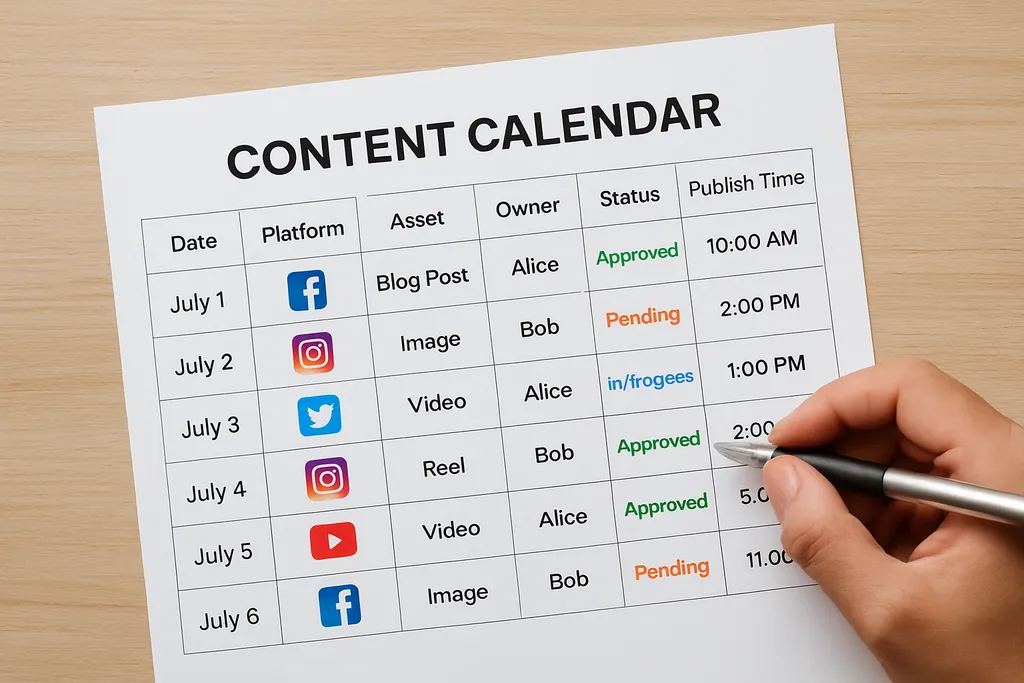
Most teams do not have a content strategy problem — they have a workflow problem.
A social media content calendar template should do more than hold post ideas in a spreadsheet. It should help your team decide what gets published, when it ships, who owns it, and what needs approval before it goes live. When the template is structured well, planning gets faster, scheduling gets cleaner, and last-minute posting stops being the default.
That matters whether you are a solo marketer trying to keep up with multiple channels, a small team juggling campaigns, an agency managing clients, or a multi-brand team needing visibility across owners and approvals. A good calendar template creates a repeatable operating system, not just a blank grid.
If you are looking for examples of basic calendar structures, tools like Canva’s social media calendar templates and Airtable’s social media calendar template show how planning can be organized around dates, campaign themes, and content types. But the real value comes when you turn that template into a workflow your team actually uses.
This article shows you how to do that.
What a social media content calendar template should do for your team
A calendar template should solve three common problems:
-
Faster planning
Instead of starting from scratch every week, your team works from a repeatable structure. Campaigns, recurring series, and platform-specific posts already have a place in the calendar. -
Better consistency
A template helps you balance content across the month so you are not posting three product promos in a row and then going silent. -
Fewer last-minute posts
When draft deadlines, approvals, and scheduling are visible in one place, content gets handled earlier in the process.
The people who benefit most are often the ones with the least time to spare:
- Solo marketers who need a simple way to stay organized
- Small teams that need clarity on ownership
- Agencies managing multiple brands and approval chains
- Multi-brand teams that need campaign visibility across stakeholders
A useful template is not just a blank grid where you dump ideas. It should guide the team from strategy to publishing. Think of it as a working document that supports planning, drafting, review, scheduling, and reporting.
If you want to go deeper into automating the handoff from planning to publishing, see Automating Social Media Posts: A Practical Workflow for Consistent Publishing.
The fields every useful calendar template needs
A template becomes useful when it contains the fields your team needs to coordinate work without asking the same questions repeatedly.
Core fields to include
-
Date
The planned publish date. This is the anchor of the calendar. -
Platform
Instagram, LinkedIn, TikTok, Facebook, X, Threads, YouTube, or another channel. -
Post format
Carousel, reel, static image, story, thread, short-form video, long-form video, etc. -
Campaign
Helps connect the post to a launch, promotion, product release, or seasonal initiative. -
Audience
Useful for separating posts aimed at prospects, customers, creators, partners, or internal audiences. -
Status
For example: idea, draft, in review, approved, scheduled, published. -
Owner
The person responsible for moving the post forward. -
Publish time
Needed when timing matters by platform or audience behavior.
Each field supports coordination. Date and time prevent scheduling gaps. Platform and format help with creative planning. Campaign and audience connect the post to business goals. Status and owner reduce confusion.
Optional fields that are worth adding
-
Asset link
Where the creative lives: Figma file, drive folder, or design brief. -
Caption draft
Helps keep copy and creative together. -
CTA
Makes intent clear: click, comment, save, sign up, or watch. -
UTM link
Useful when the post drives traffic and reporting matters. -
Approval notes
Keeps feedback attached to the post instead of buried in Slack. -
Performance results
Add reach, clicks, saves, comments, or conversions after publishing.
A good rule: keep the template lean enough that it gets used. If the sheet is too crowded, people stop updating it. If you want inspiration for a simple, repeatable content system, tools like Asana’s social media calendar template show how planning, scheduling, and tracking can live together without becoming chaotic.
How to build your calendar for a 30-day planning cycle
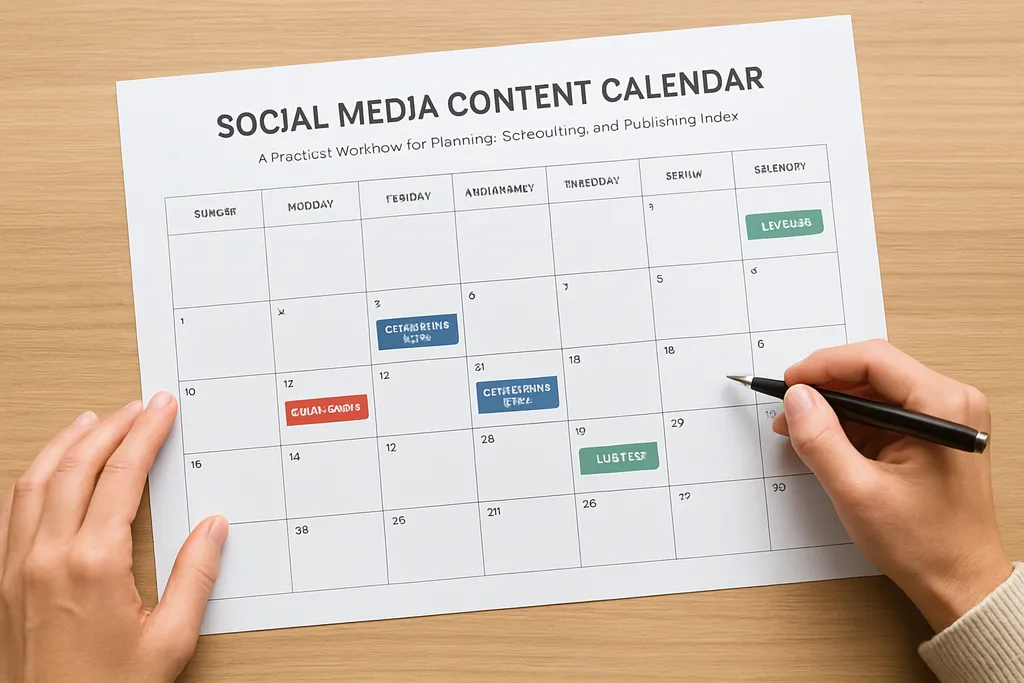
A monthly planning cycle works well for most teams because it balances strategy with flexibility. You have enough time to map campaigns, but not so much time that the calendar becomes theoretical.
Step 1: Start with goals and campaigns
Before you add individual posts, define the month’s priorities:
- Product launches
- Lead generation campaigns
- Events or webinars
- Seasonal promotions
- Brand awareness themes
These priorities should shape what content gets scheduled first. If the month has a product launch, the content calendar should reflect it early, not after the launch assets are already approved.
Step 2: Map content pillars
A solid calendar balances a few content types across the month. Common pillars include:
- Education: how-tos, tips, insights
- Proof: customer stories, testimonials, case studies
- Product: feature highlights, use cases, updates
- Engagement: questions, polls, community prompts
This prevents the calendar from becoming too promotional. It also helps you quickly see whether the month has enough variety.
Step 3: Block recurring content first
Recurring series are the easiest way to build consistency. Examples:
- Monday tips
- Weekly product spotlight
- Friday community post
- Monthly recap
- Behind-the-scenes content
Put these in the calendar first because they create the rhythm. Then add campaign posts, launches, and seasonal moments around them.
Step 4: Add launches, seasonal posts, and reactive content
Once the recurring slots are locked, fill in the higher-priority items:
- Campaign announcements
- Webinar promotions
- Holiday or seasonal content
- Partner collaborations
- Reactive posts tied to industry news
Leave some flexibility for reactive content. A calendar that is too packed becomes brittle. You want enough structure to stay consistent, but enough space to respond to timely opportunities.
Step 5: Batch from strategy to draft to scheduled
Batching reduces context switching. Instead of writing one post, designing one asset, getting one approval, and scheduling one post at a time, group similar work together:
- Plan all posts for the month
- Draft captions in one session
- Prep visuals in one design block
- Approve in one review queue
- Schedule in one publishing session
This is where the calendar becomes operational. It is no longer just a list of ideas. It is a pipeline.
Example month structure
A simple month for a marketing team might look like this:
- Week 1: educational posts + campaign teaser
- Week 2: product proof + launch content
- Week 3: customer story + engagement content
- Week 4: recap + next-month teaser
That structure is easy to repeat, easy to review, and easy to adjust when priorities change.
A simple weekly workflow for drafting, approvals, and scheduling
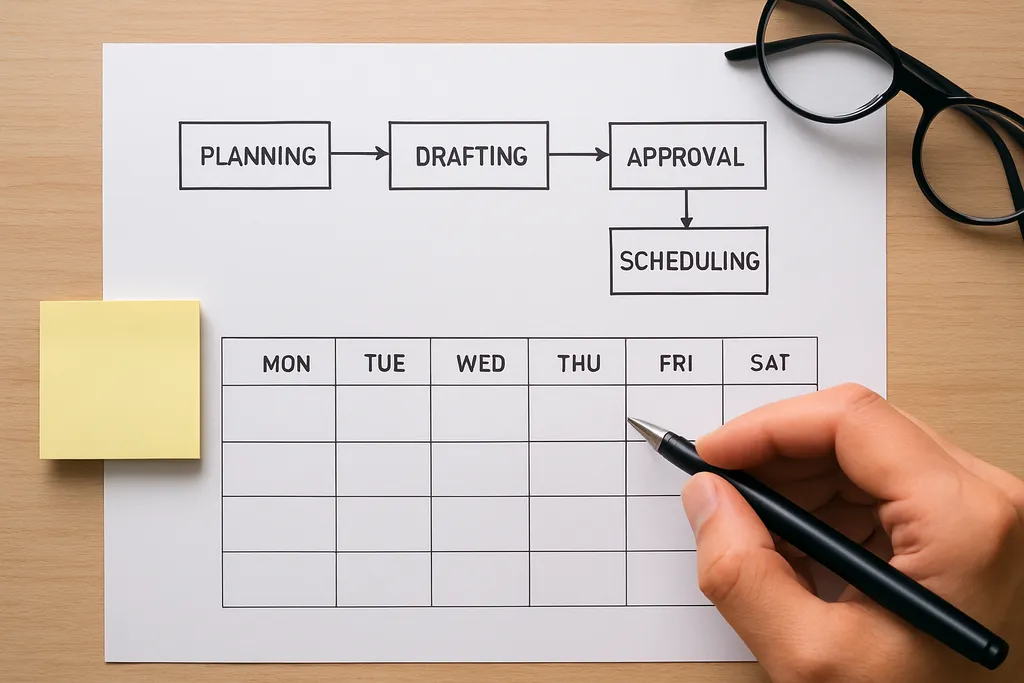
The best calendar template still fails if the workflow around it is messy. The weekly operating rhythm matters.
Monday: planning check-in
Start the week by confirming:
- What is shipping this week
- What is blocked
- Which posts need design or copy updates
- Which approvals are overdue
This keeps the team aligned before anyone starts drafting new work.
Midweek: batching session
Reserve one or two blocks for production:
- Write captions
- Edit short-form copy
- Prepare visuals or video edits
- Add links, hashtags, and CTAs
The goal is to create a batch of posts that are ready for review, not a pile of half-finished ideas.
Approval step: one queue, not endless back-and-forth
Approvals are where calendars often break. Avoid scattered feedback in DMs, email, and Slack. Put review comments in one place and limit revision loops where possible.
The cleaner the approval process, the faster the content moves. A status field like Draft → In review → Approved → Scheduled keeps everyone on the same page.
Scheduling: lock in the posts, but keep room for changes
Schedule posts in advance where possible, but do not fill every slot too far ahead. Leave room for:
- Breaking news
- Campaign changes
- Performance-based swaps
- Late-breaking creative updates
If your team uses scheduling software, this is where a system like Postless helps reduce manual coordination. For teams trying to make scheduling more repeatable, this workflow for automating social media posts is a useful companion.
Review: check the details before publishing
Before a post is scheduled, confirm:
- Correct link and UTM
- Proper formatting per platform
- Correct tags and mentions
- Image/video dimensions
- Compliance or brand notes
- Final approval status
A 5-minute review can save a lot of cleanup later.
How to adapt the template for different channels and campaigns
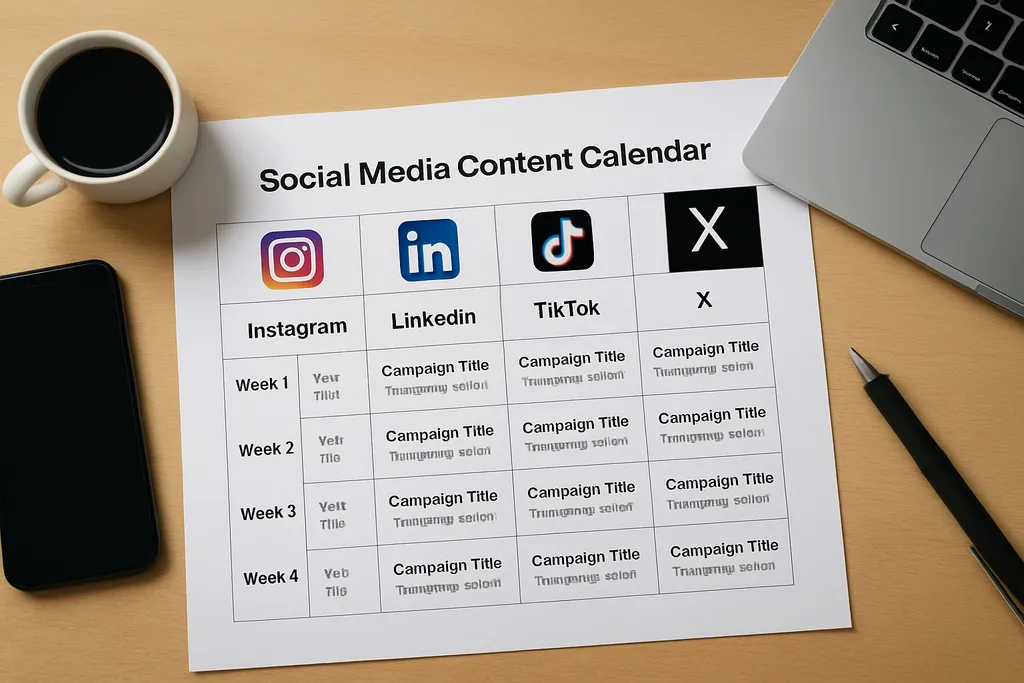
Not every platform needs the same fields, but the same calendar can support multiple channels if you plan it well.
Channel-specific planning details
-
Instagram
Useful fields: format, asset link, caption, CTA, story sequencing
For story planning, a dedicated workflow can help. See IG Stories: A Practical Guide to Planning, Scheduling, and Measuring Instagram Stories. -
LinkedIn
Useful fields: angle, audience, authority level, link or no-link decision -
TikTok
Useful fields: hook, trend reference, caption style, publishing note
If your team uses emojis strategically in short-form content, this can help planning too: TikTok Emoji Strategy: How to Use Emojis in Captions, Comments, and Content Planning -
Facebook
Useful fields: community angle, link destination, format -
X
Useful fields: thread length, source link, live timing, reply strategy -
Threads
Useful fields: discussion angle, conversational prompt, repurposed source content -
YouTube
Useful fields: title, thumbnail status, script, publish date, promo tie-ins
One campaign, multiple formats
A single campaign should appear in the calendar as several posts, not one giant entry. For example:
- LinkedIn post announcing the launch
- Instagram reel showing the product in use
- TikTok clip with a quick demo
- X post with the key takeaway
- Instagram story with a reminder and link
Using a shared campaign label makes it easy to see the full rollout in one view.
Helpful tags for larger teams
Tags or labels make the template easier to filter:
- Funnel stage: awareness, consideration, conversion
- Content pillar: education, proof, product, engagement
- Owner: brand, demand gen, social, design
- Campaign: launch name, event, seasonal promo
For agencies and multi-brand teams
Agencies need visibility into:
- Client owner
- Approval owner
- Client due date
- Brand set or region
- Publish status
Larger teams also benefit from handoff notes. If one person drafts and another schedules, the calendar should make that transition obvious.
Common mistakes that make content calendars harder to use
A content calendar should reduce friction, not add it. These are the most common mistakes that make templates harder to maintain.
1. Adding too many fields
If the calendar feels like a form, people stop updating it. Keep the core fields visible and move secondary details into notes or linked records.
2. Only planning publish dates
A date without an owner, status, or approval step is just a reminder. It is not a workflow.
3. Treating the calendar as static
The calendar should change as campaigns evolve. If you never update it, it becomes a record of what was supposed to happen, not what is happening.
4. Ignoring production lead times
A post is not “ready” when the caption is written. Asset creation, reviews, legal checks, and formatting all take time. Build that into the schedule.
5. Forgetting to log results
If you never review performance, your next month’s plan is weaker. Add a results field so future planning can learn from what worked.
How Postless helps teams turn a template into a repeatable workflow
A template is useful on day one. A workflow is useful every day after that.
Postless helps teams move from planning to scheduling to publishing in one place, so your calendar becomes an operational system instead of a manual tracking document. That means:
- Clear assignments
- Better visibility across drafts and approvals
- More consistent scheduling
- Less time spent chasing status updates
- Easier reuse for recurring campaigns and content series
For teams that manage social at scale, the value is not just organization. It is momentum. When templates become reusable workflows, your team can plan faster, coordinate less, and publish more consistently.
FAQ: calendar templates, scheduling, and team workflows
What is a social media content calendar template?
It’s a planning structure for organizing posts, dates, platforms, owners, and approvals in one place.
What should be included in a content calendar?
At minimum: publish date, platform, post type, caption status, owner, and campaign or content pillar.
How far in advance should I plan social content?
Most teams plan 2 to 4 weeks ahead, then schedule and adjust weekly for timely updates.
Is a spreadsheet enough for a content calendar?
Yes for basic planning, but a scheduling tool is better when you need collaboration, approvals, and publishing.
How do I keep a content calendar from becoming too complicated?
Use only the fields your team actually needs, and review the template regularly to remove unnecessary steps.
Final takeaway
A social media content calendar template works best when it supports real work: planning, drafting, approvals, scheduling, and reporting. Keep the structure simple, assign ownership clearly, and build a weekly rhythm around it. That is how a calendar stops being a static document and starts becoming a repeatable content workflow.