Content Marketing Workflow Tips That Make Social Planning Faster
Streamline your social content planning with effective workflow strategies that reduce delays, enhance collaboration, and elevate your team's performance. Discover how process improvements can lead to better consistency, speed, and quality in your marketing efforts.
PostlessSeptember 14, 202614 min read

Most content teams do not have a content problem — they have a workflow problem.
When planning social content takes too long, posts slip, approvals drag on, and the team ends up publishing whatever can be finished fastest. A strong content marketing workflow fixes that. It saves time, reduces last-minute chaos, and makes it easier to stay consistent across channels.
For teams using Postless or any social planning system, the goal is not to add more process. It is to remove friction. Fewer handoffs. Clear ownership. Cleaner approvals. Less scrambling on publish day.
If your current process feels like a stack of Slack messages, scattered briefs, and “Who has the latest version?” threads, these content marketing workflow tips will help you tighten social planning without making it heavier.
The fastest way to improve social content performance is to tighten your workflow
A good workflow affects three things immediately:
- Consistency: posts ship on time and match the brand more often
- Speed: the team spends less time chasing updates and more time creating
- Quality: content gets reviewed properly before it goes live
For social teams, a content marketing workflow usually includes:
- Planning the content theme, format, and channel
- Drafting the copy and creative
- Reviewing for accuracy, voice, and compliance
- Scheduling in a content calendar or publishing tool
- Publishing at the right time on the right channel
- Reporting on what happened after it goes live
That sequence sounds simple, but most delays happen between those steps. A brief is unclear. The designer is waiting on the caption. The approver never sees the request. The post is approved, but nobody loads it into the scheduler.
The fix is to define the workflow up front so every person knows what “done” means at each stage.
For a broader planning framework, you can also pair this approach with Social Media Marketing: A Practical Planning and Scheduling Guide for Modern Teams.
Start with a content planning system your team can actually follow

The fastest planning system is usually the simplest one the team will actually use.
Instead of planning social posts one by one, build around themes or content pillars. These should map to campaign goals, audience needs, and the channels you publish on. For example:
- Product education
- Customer proof
- Behind-the-scenes process
- Industry insights
- Lead-generation offers
This gives your team structure without forcing every post to start from scratch.
Use a monthly or biweekly planning rhythm
Weekly planning can work for very small teams, but most social teams move faster with a monthly or biweekly planning cycle. That gives you enough time to gather ideas, assign work, and schedule content without living in reactive mode.
A simple rhythm looks like this:
- Week 1: review campaign priorities and choose themes
- Week 2: draft posts and gather assets
- Week 3: review, revise, and schedule
- Week 4: publish, monitor, and collect learnings
If your team handles a lot of recurring social output, a structured calendar makes the process easier to repeat. A dedicated template can help here, such as Social Media Content Calendar Template: A Practical Workflow for Planning, Scheduling, and Publishing Faster.
Make every brief capture the essentials
A good social brief prevents 80% of the back-and-forth later. Keep it short, but include enough detail to move work forward.
Every post brief should include:
- Goal: what the post should achieve
- Audience: who it is for
- Channel: LinkedIn, Instagram, X, TikTok, etc.
- Format: text-only, image, carousel, reel, story
- CTA: what action you want the audience to take
- Due date: when the draft is needed
- Approver: who signs off
A brief that includes these fields is easier to draft, review, and schedule. It also makes it easier to repurpose the same idea across multiple channels.
For teams that publish frequently, it helps to build the brief into a reusable system rather than a one-off doc. That is also where automation can help. See Automating Social Media Posts: A Practical Workflow for Consistent Publishing.
Keep the calendar realistic
A common planning mistake is trying to fill every day with “great content” and then burning out when the team cannot keep up.
A realistic calendar balances:
- Evergreen content that can be planned early
- Campaign content tied to launches and promotions
- Reactive content for timely updates, trends, or community moments
Leave room for flexibility. Not every slot should be locked weeks in advance. If a plan has no breathing room, the team will end up reprioritizing in panic mode.
A lightweight way to convert ideas into scheduled work is to keep one intake list for ideas, then move only approved ideas into the content calendar during your planning meeting. This keeps the backlog visible without cluttering the schedule.
Assign clear owners so work moves without constant follow-up

When ownership is vague, work stalls.
A post may have a writer, but no scheduler. A designer may create assets, but nobody knows who uploads them. An approver may assume someone else already reviewed the caption. The result is repeated checking, duplicated edits, and missed deadlines.
Map roles across the workflow
In a social content team, common roles include:
- Strategist: sets priorities and content direction
- Writer: drafts the caption, hook, and CTA
- Designer: creates or adapts visual assets
- Approver: reviews for accuracy and brand fit
- Scheduler: loads the post into the publishing tool
Not every team has all five roles, and that is fine. The important part is that every stage has an owner.
Define what “done” means at each stage
A lot of workflow confusion comes from vague handoffs. “Draft finished” can mean very different things to different people.
Instead, define stage completion clearly:
- Idea done: the post has a goal, angle, and channel
- Drafting done: caption and creative draft are ready for review
- Review done: feedback is resolved and approval is confirmed
- Scheduled done: post is loaded correctly with assets and timing
- Published done: post went live and is ready to report on
This gives the team a shared language. It also reduces status-chasing because everyone can see what is waiting and what is complete.
Use simple status labels
Avoid overcomplicated project stages. Most social teams only need a few:
- Idea
- Drafting
- Review
- Scheduled
- Published
If you add too many statuses, the calendar becomes harder to maintain. The point is visibility, not bureaucracy.
Small team workflow vs. larger team workflow
A small team might use one shared content calendar, one writer, one designer, and one approver. The same person may also schedule posts.
A larger team may split responsibilities by channel or campaign. For example:
- One strategist manages priorities
- Multiple writers draft in parallel
- Designers work from a shared asset queue
- Legal or compliance reviews only selected posts
- A publishing manager handles final scheduling
The structure can change, but the principle stays the same: each stage needs a clear owner and a clear handoff.
Build an approval process that protects quality without creating bottlenecks

Approval is necessary, but too much approval kills momentum.
The best approval process is built around risk. A light post about an evergreen tip does not need the same review depth as a regulated product announcement or a campaign with legal claims.
Separate fast approvals from high-stakes approvals
Not every post deserves the same level of scrutiny.
Use a faster path for:
- General educational content
- Evergreen tips
- Community engagement posts
- Low-risk brand updates
Use a stricter path for:
- Product claims
- Compliance-sensitive content
- Partnerships or sponsorships
- Launch announcements
This prevents simple posts from getting stuck behind the same review chain as high-risk assets.
Limit review rounds
Most posts should not go through endless revisions. Set a rule for the number of review rounds, and make feedback specific.
Useful feedback should focus on:
- Accuracy
- Brand voice
- Compliance
- Visual fit
- CTA clarity
Feedback should not become a rewrite contest. If the reviewer wants the angle changed entirely, that should happen before drafting starts, not during round three of edits.
Set deadlines for feedback
A review process without deadlines is just a waiting room.
When you send a post for approval, include:
- what is being reviewed
- by when feedback is needed
- what happens if no feedback is received
This alone can reduce delays significantly. If a post has to go live on Friday, the reviewer should not receive it Friday morning.
Use templates and checklists
Templates speed up sign-off because they reduce ambiguity. A short approval checklist might include:
- Does the caption match the brief?
- Is the message accurate?
- Does the visual fit the brand?
- Is the CTA clear?
- Are all required legal or compliance notes included?
A good checklist makes review faster and more consistent.
Avoid too many stakeholders
One of the biggest approval mistakes is adding people “just in case.”
Every additional reviewer increases the odds of delay. If possible, keep the approval chain short. In many teams, one clear reviewer or a small approval group works best.
If you want to go deeper on publishing efficiency, Best Social Media Scheduling Tools for Faster Planning, Approval, and Publishing is a useful companion guide.
Use scheduling tools and automation to reduce repetitive work
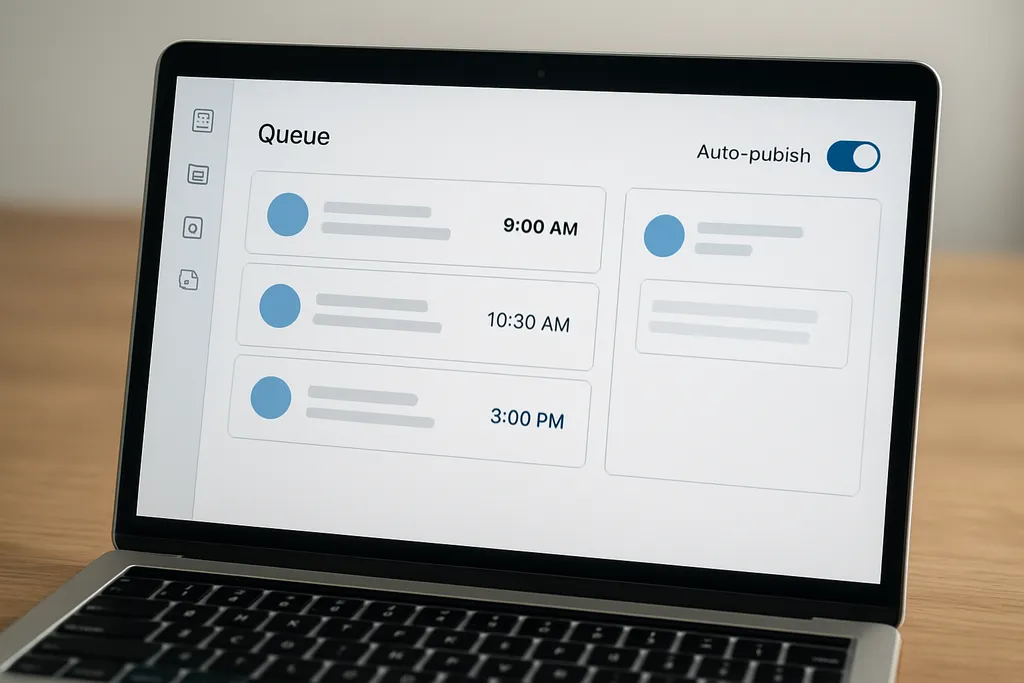
Scheduling is where planning becomes real.
If your team still publishes manually each day, you are probably wasting time on repetitive tasks that a scheduling workflow could handle in batches. Social scheduling helps teams stay consistent, reduce errors, and keep posting even when the calendar gets busy.
Batch similar work together
A faster workflow usually means batching:
- Caption writing
- Asset resizing
- Link building
- UTM tagging
- Scheduler setup
Instead of moving one post all the way from draft to publish before starting the next one, group similar tasks. That reduces context switching and makes it easier to move fast.
For example:
- Draft five captions at once
- Review all five in one pass
- Resize or crop assets in one session
- Load the approved posts into the scheduler
- Confirm timing and links before publishing
Use auto-publish where it makes sense
Auto-publish is useful for content that does not need a human to hit “publish” live.
That works well for:
- Planned evergreen posts
- Recurring educational content
- Simple promotional posts with no real-time context
Manual publishing still makes sense when timing or context matters, such as:
- Live event updates
- Reactive content
- Posts requiring final judgment before posting
The point is not to automate everything. The point is to automate the repeatable parts so your team has more time for strategy.
Build reusable templates and asset libraries
Teams move faster when they do not recreate the same structure every week.
A workflow-friendly setup can include:
- Caption templates for common post types
- Creative templates for repeatable formats
- Asset libraries for approved visuals
- Saved hashtag sets
- Reusable post structures by channel
This is especially helpful for social teams that publish across multiple platforms. You can repurpose one idea into several formats without rebuilding the whole workflow each time.
Add UTM tracking early
If reporting is part of the workflow, tracking should happen before the post goes live, not after.
Use UTM parameters and naming conventions consistently so you can trace performance back to campaigns, channels, and content types. That makes reporting easier and helps you see which workflow inputs produce the best output.
Automation and scheduling are not just convenience features. They create better visibility, fewer errors, and more room for strategic work.
The Adobe overview of social content marketing also reinforces that consistency, creativity, and timing are key to results in social content planning: Content marketing: Basic strategies and how to get started.
Measure workflow health, not just post performance
A post can perform well and still come from a broken process. It is important to track both content results and workflow health.
Useful operational metrics include:
- Turnaround time: how long a post takes from brief to publish
- Approval delay: how long posts sit waiting for review
- On-time publishing rate: how often posts go out as scheduled
- Content volume: how much the team ships in a given period
- Revision count: how many rounds of edits a post needs
Start with turnaround time
If you only track one workflow metric, start with turnaround time. It shows where content gets stuck and helps you compare different types of posts.
For example, you may find that:
- educational posts move quickly
- launch posts stall in approval
- carousel posts take longer because of design
That tells you where to improve.
Review bottlenecks monthly
Set a simple monthly review cadence. Ask:
- Which stage slows us down most?
- Which content types take the longest?
- Which reviewer causes the biggest delay?
- Where do we see the most rework?
Then adjust the process based on what you learn.
Workflow improvement is cumulative. Small changes in ownership, review timing, or scheduling discipline can make the entire team faster over time.
Common workflow mistakes that slow down content teams
Most workflow problems are predictable. The good news is they are also fixable.
Planning too far ahead without flexibility
A calendar full of locked posts can look organized, but it becomes fragile fast.
Fix it by leaving room for:
- unscheduled reactive posts
- campaign shifts
- content swaps when priorities change
No single source of truth
If briefs live in one doc, assets in another folder, deadlines in Slack, and approvals in email, nobody knows where to look.
Fix it by choosing one central system for:
- briefs
- calendar
- assets
- status updates
Too many approval layers
Every extra reviewer adds time. Some teams accidentally create a chain where nothing moves without five signatures.
Fix it by identifying the minimum approval path needed for each content type.
Manual publishing when automation would save time
If someone has to log in and post every item by hand, the team is using human attention for a task a scheduler can handle.
Fix it by batching and automating routine posts.
Skipping the postmortem
When a deadline is missed or a post underperforms, many teams move on too quickly.
Fix it by doing a short review:
- What slowed the post down?
- What should change next time?
- Did the brief give enough direction?
- Was the scheduling process accurate?
That is how workflow gets better instead of just staying busy.
A simple workflow checklist you can implement this week
If you want a quick starting point, use this checklist:
- Choose one content calendar view and one intake format
- Define owners for drafting, review, and scheduling
- Create a reusable post brief template
- Set approval deadlines for every review request
- Reduce unnecessary reviewers
- Batch captions, assets, and scheduler setup
- Load one week of content in advance
- Review one workflow metric at the end of the week
That is enough to create momentum without overbuilding the process.
If you want a planning-first approach to scheduling, this guide is a helpful next step: Social Media Marketing: A Practical Planning and Scheduling Guide for Modern Teams.
FAQ
What is a content marketing workflow?
It is the step-by-step process your team uses to plan, create, review, schedule, and publish content.
How do I make social content planning faster?
Use templates, set clear owners, batch similar tasks, and schedule content in advance.
What should a content brief include?
A good brief includes the goal, audience, platform, format, message, CTA, deadline, and approver.
How many approval steps should a post have?
As few as possible. Most teams work best with one clear reviewer or a small approval chain.
What workflow metric matters most?
Turnaround time is a strong starting point because it shows where content gets stuck.
Final takeaway
A faster social content process does not come from working harder. It comes from tightening the path between idea and publish.
When you simplify planning, clarify ownership, reduce approval friction, and use scheduling tools well, your team gets more done with less chaos. That means better consistency, fewer missed deadlines, and more time for actual marketing work.
If your workflow is slowing down social planning, fix the process first. The content results usually improve right after.