Guide to Social Media Management Tools: How to Choose, Use, and Get Results
Discover how to streamline your social media strategy with the right management tools, enabling efficient planning, collaboration, and measurement for your content marketing efforts. This guide highlights essential features to consider, helping teams make informed decisions for optimized workflows.
PostlessSeptember 13, 202614 min read
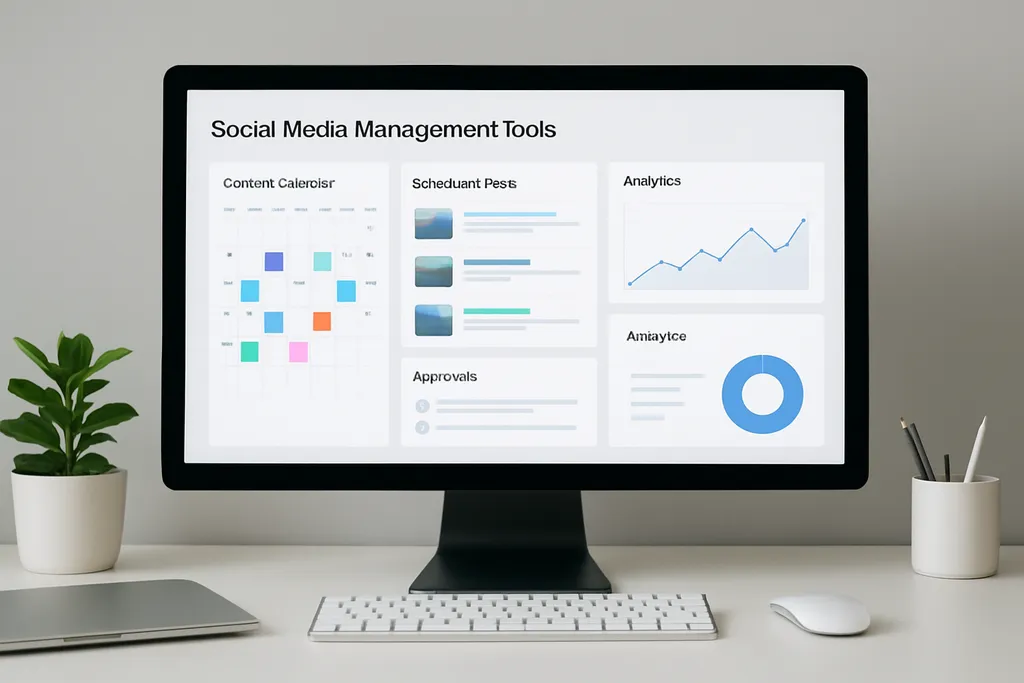
Most teams do not need more social media ideas. They need a better system for turning ideas into posts that ship on time, get approved, and can be measured after publishing.
That is where a guide to social media management tools becomes useful. The right platform does not just schedule content. It helps you plan campaigns, coordinate teammates, manage approvals, and track what is actually working across channels. For marketers, that means less copy-paste work, fewer publishing mistakes, and a clearer view of what is happening in the content pipeline.
If you are comparing tools for your team, this article will help you separate “nice to have” features from the workflows that matter most. It also shows how to choose a tool based on your team structure, channel mix, and publishing process.
What Social Media Management Tools Actually Do
At the simplest level, a social media management tool helps you plan, organize, approve, schedule, publish, and measure social content in one place. That sounds obvious, but it solves a real operational problem: social publishing is rarely a one-person job.
A useful tool gives your team a shared system for moving content from idea to live post. Instead of juggling spreadsheets, DMs, email threads, and platform tabs, you can keep the full workflow in one calendar. That usually includes:
- campaign planning
- post drafting
- internal or client review
- scheduling
- publishing
- reporting
This is also what separates management tools from native schedulers and ad platforms.
A native scheduler inside LinkedIn, Meta, or TikTok is fine for simple publishing. But it usually stops there. It does not help much with cross-channel planning, team approvals, asset organization, or reporting in a workflow-friendly way. Ad platforms, meanwhile, are built for paid campaigns, not ongoing organic publishing and collaboration.
The main outcome most teams want is not “more software.” It is:
- less manual work
- fewer missed posts and publishing errors
- better visibility into what is scheduled, approved, or delayed
- faster handoffs between content, design, and stakeholders
These tools are useful for almost every team type, but the value changes by use case:
- Solo marketers benefit from batching, scheduling, and keeping campaigns organized.
- Content teams need collaboration and approval layers.
- Agencies need client-facing review workflows and clean reporting.
- Multi-brand teams need permissions, calendars, and clear separation between accounts.
The takeaway: the best tool is the one that fits your workflow, not the one with the longest feature list.
For a broader planning context, see Social Media Marketing: A Practical Planning and Scheduling Guide for Modern Teams.
Core Features to Look For
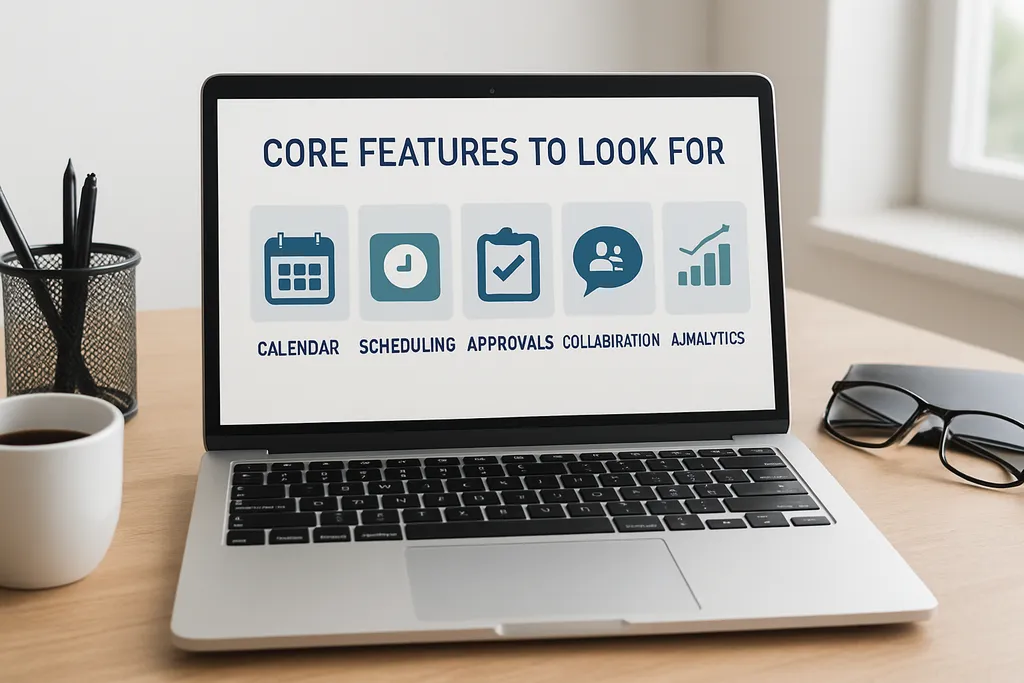
Not every feature matters equally. Some are essential for daily work, while others are useful only once your workflow becomes more complex.
Content calendar
A shared calendar is the foundation. It should let you map campaigns, dates, formats, and platforms in one view. A good calendar makes it easy to see whether your week is too promotional, too light on educational content, or overloaded on one channel.
If your team already uses planning templates, pair the calendar with a repeatable structure like Social Media Content Calendar Template: A Practical Workflow for Planning, Scheduling, and Publishing Faster.
Scheduling and auto-publishing
Scheduling lets you batch work instead of logging in every day to publish manually. Auto-publishing is especially important for teams posting across multiple channels or managing time-sensitive campaigns.
The best scheduling systems reduce last-minute stress. You should be able to queue posts, set publishing times, and adjust them without rebuilding the post from scratch.
If automation is part of your workflow, this guide may help: Automating Social Media Posts: A Practical Workflow for Consistent Publishing.
Approval workflows
Approval workflows matter as soon as more than one person touches content. That might mean an internal brand manager, a legal reviewer, a client, or a founder who wants to check every caption before it goes live.
A strong approval setup should let you route posts through a clear sequence, such as:
- draft created
- reviewed by marketing
- approved by stakeholder
- scheduled for publication
Without that structure, teams end up approving posts in email threads or Slack screenshots, which slows everything down and makes version control messy.
Collaboration tools
Comments, @mentions, version history, and status tracking help teams work without losing context. These features matter because social content usually moves between writers, designers, strategists, and approvers.
You want everyone working from the same post, not from five different copies of it. Collaboration features also make it easier to keep feedback visible and reduce repeat edits.
Asset management
Social publishing is not just captions. You also need creative assets, links, notes, campaign tags, and sometimes platform-specific variations. Good asset management keeps all of that attached to the post or campaign instead of scattered across folders and chat logs.
That becomes especially useful for recurring campaigns, product launches, and seasonal content.
Analytics and reporting
A management tool should help you measure more than vanity metrics. Look for reporting that covers reach, engagement, clicks, saves, shares, and content performance by post or campaign.
This matters because scheduling without measurement is just organized posting. Reporting tells you whether your timing, formats, hooks, and platform mix are working.
Team permissions
Permissions matter more than people expect. A tool should let you control who can draft, edit, approve, schedule, or publish. That is especially important for agencies, enterprise teams, and brands with multiple stakeholders.
A clean permissions model reduces risk. It also makes the workflow easier to delegate.
AI and automation
AI can help with ideation, caption variations, repurposing, and scheduling support. Automation can speed up repetitive tasks like tagging, reminders, and queue management.
The key is control. Use automation to reduce manual work, not to remove editorial oversight. Social teams still need brand voice, platform nuance, and human judgment.
How to Choose the Right Tool for Your Team

The best way to choose a tool is to start with your operating model, not the feature list.
1. Match the tool to your team type
A solo marketer needs something different from an agency or a multi-brand team.
- Solo creator or marketer: prioritize scheduling, calendar visibility, and basic reporting.
- Internal marketing team: prioritize collaboration, shared calendars, and approvals.
- Agency: prioritize client review flows, account separation, and exportable reporting.
- Multi-brand team: prioritize permissions, brand organization, and workflow clarity.
2. Check channel coverage
Do not assume every tool supports the platforms you care about equally. A tool might be strong for LinkedIn and Instagram but weak for TikTok or X. If your audience depends on specific channels, make sure the tool supports the formats and publishing features you actually need.
That matters for platform-specific content too. For example, Instagram Stories often require a more deliberate planning process than static feed posts. See IG Stories: A Practical Guide to Planning, Scheduling, and Measuring Instagram Stories.
3. Compare approval complexity
Some teams need only a simple “review and approve” step. Others need multi-step signoff with client approval, legal review, or regional review. Choose a tool that matches your real process, not the one you hope you will eventually have.
4. Consider how many people will use it
A tool can look affordable until your team grows. Some platforms charge per user, some per social profile, and some by feature tier. Think about whether the pricing model will still make sense in six months.
5. Evaluate reporting needs
If you only need lightweight performance checks, a basic reporting setup may be enough. If you need executive summaries, client reports, or campaign-level analysis, you will want stronger analytics and exports.
6. Factor in setup time
A powerful tool that nobody adopts is not useful. If your team needs weeks of onboarding before anything gets published, that friction matters. Pick something your team can learn quickly and use consistently.
7. Build a requirements checklist before demos
Before you start trials or booking demos, create a short checklist:
- Which channels must be supported?
- How many users need access?
- Do we need approvals?
- What reporting do we need?
- Do we need asset storage?
- What is our monthly or annual budget?
- How quickly do we need to be live?
This keeps the evaluation focused on workflow fit instead of feature demos.
For a deeper comparison process, see Best Social Media Scheduling Tools for Faster Planning, Approval, and Publishing.
A Practical Workflow for Planning and Scheduling Content
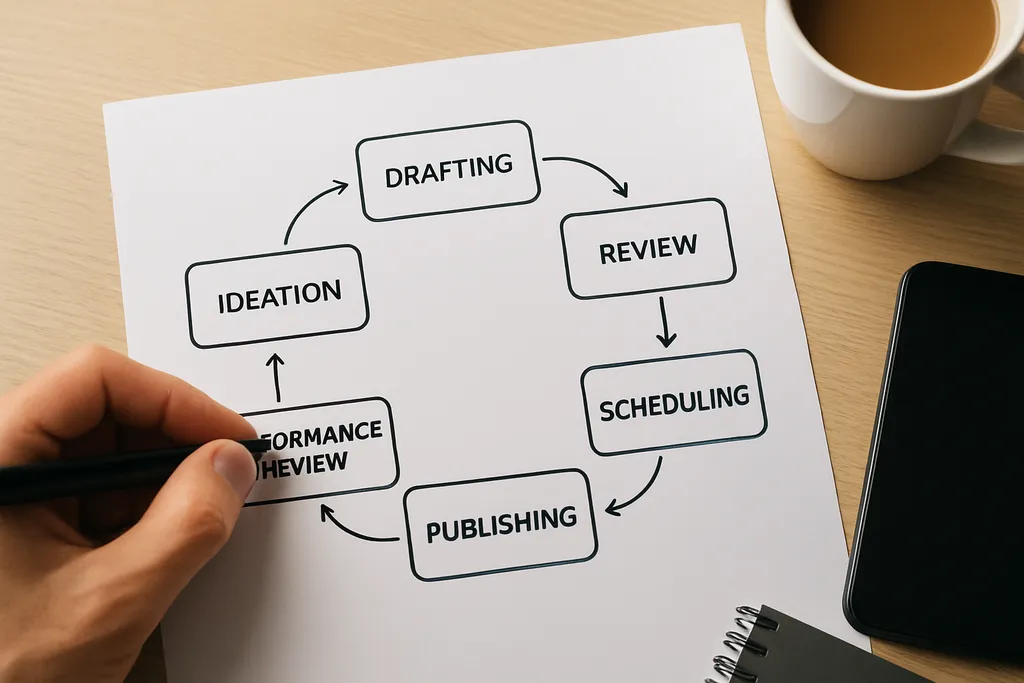
The best tools work because they support a repeatable workflow. If your process is messy, the software will not fix it on its own.
Start with monthly goals and campaign themes
Do not start by drafting random posts. Start with monthly goals, campaign priorities, and content themes. This gives your social plan a purpose.
For example:
- product education
- lead generation
- community engagement
- event promotion
- customer proof
Once those themes are set, it becomes much easier to fill the calendar with content that supports the goal.
Build a balanced content calendar
A good calendar is not just a list of post ideas. It should balance content types across the month:
- promotional posts
- educational posts
- behind-the-scenes content
- customer stories
- community or engagement posts
That balance helps avoid the common mistake of over-posting sales content and under-posting useful content.
Draft in batches
Batching keeps tone and messaging more consistent. Write several posts at once for the same campaign or theme, then review them together. This saves time and makes it easier to keep formatting, voice, and calls to action aligned.
Use built-in approvals
Before anything gets scheduled, route posts through the right reviewers. This is where a management tool saves time and prevents expensive mistakes, like broken links, missing tags, off-brand language, or incorrect dates.
Schedule by audience behavior
Do not schedule only based on your convenience. Schedule based on when each audience is most likely to engage. That may vary by channel and content type.
If timing is a key question for you, read Best Time to Post on Instagram: How to Find the Right Window for Your Audience.
Add tracking before publishing
Include UTMs, campaign tags, and notes before the post goes live. This makes reporting much easier later, especially if you need to connect social activity to clicks or conversions.
Review performance weekly
Social teams should look at performance on a regular cadence. Weekly reviews are usually enough to spot patterns without overreacting to single-post noise.
In your review, ask:
- Which formats performed best?
- Which posting times drove the strongest engagement?
- Which topics sparked clicks or saves?
- Which channels deserve more or less volume?
Use that data to update next week’s calendar, not just next month’s report.
A good workflow reduces context switching. The team spends less time hunting for approvals or assets and more time improving the content itself.
When a Social Media Management Tool Is Worth It
Not every team needs a full platform on day one. But there is a clear tipping point where manual methods start creating more problems than they solve.
You probably need a real tool if:
- posts are getting missed
- approvals are happening in too many places
- your calendar lives in spreadsheets no one trusts
- the team is spending too much time logging into different platforms
- reporting takes longer than publishing
- your content volume is growing faster than your process
Native schedulers can work for very small workflows. They are useful if you are posting occasionally and do not need collaboration or reporting depth. But once a team starts publishing regularly across multiple accounts, the gaps become obvious.
Agencies usually feel this pain first. Multiple clients, stakeholders, brand voices, and deadlines create a need for structure. That is when permissions, shared calendars, and clean approval paths become non-negotiable.
If you are still deciding whether to move up from a lighter setup, a good middle step is to standardize your workflow first, then choose the tool that supports it.
Common Mistakes to Avoid
Many teams do not fail because they picked the wrong category. They fail because they chose the tool for the wrong reason.
Choosing based only on price
The cheapest option is not always the most efficient. If the tool slows down approvals, lacks key channel support, or creates reporting gaps, it will cost more in lost time.
Buying features the team will not use
It is easy to get distracted by advanced capabilities. But if your team only needs a calendar, scheduling, and approvals, do not pay for enterprise features you will not touch.
Skipping onboarding and documentation
A tool does not create a process by itself. You still need simple documentation for:
- who drafts
- who reviews
- who approves
- who schedules
- who reports
Without that, adoption stalls.
Not defining ownership
If no one owns approvals or reporting, content gets stuck. Every workflow should have a clear owner.
Ignoring platform differences
LinkedIn, Instagram, TikTok, and X do not work the same way. A tool should support the content formats and publishing patterns you use most often.
Forgetting to tie the tool to goals
If your reporting does not connect to measurable goals, you cannot tell whether the workflow is helping. Good tools support better decisions, not just more activity.
For more on practical workflow setup, see Best Social Media Scheduling Tools for Faster Planning, Approval, and Publishing.
Real-World Perspective: What Good Looks Like
The strongest teams do not treat social tools as storage. They use them as workflow infrastructure.
A solid setup usually means:
- campaign planning starts in one calendar
- drafts are created in batches
- feedback stays attached to the post
- approvals are visible
- scheduling happens from the same system
- reporting comes back into planning
That kind of loop is what keeps content moving. It also makes the team faster without making it sloppy.
If you are building that system from scratch, start with a content calendar and a repeatable posting workflow. Then layer in automation only where it saves time without reducing control.
FAQ: Quick Answers About Social Media Management Tools
What is a social media management tool?
It is software that helps you plan, schedule, publish, and analyze social content in one place.
Do I need a social media management tool?
If you manage multiple accounts, work with a team, or publish regularly, a tool usually saves time and reduces mistakes.
What features matter most?
The most useful features are scheduling, approvals, collaboration, analytics, and a content calendar.
Is a native platform scheduler enough?
It can work for very small workflows, but it usually lacks collaboration, planning, and reporting depth.
How do I choose the best tool for my team?
Start with your workflow, number of users, channels, and approval needs, then compare tools against that checklist.
What should agencies look for?
Agencies usually need client approvals, shared calendars, clear permissions, and reporting that is easy to present.
Final Takeaway
The best social media management tool is not the one with the longest feature list. It is the one that fits how your team actually plans, reviews, schedules, and reports on content.
If your process is simple, a lighter setup may be enough. If your workflow includes multiple people, multiple brands, or multiple approvals, a real management tool can save time and reduce errors fast.
The goal is not to add another platform. The goal is to make publishing more consistent, collaborative, and measurable. That is what turns social media from a daily scramble into a repeatable marketing workflow.