Social Media Post Scheduling for Teams: A Practical Workflow for Planning, Approvals, and Auto-Publishing
Streamline your team's social media strategy with an efficient scheduling workflow that enhances collaboration, reduces delays, and ensures consistent brand messaging across all platforms. Discover the essential steps for effective planning and approvals to elevate your content efforts.
PostlessSeptember 24, 202611 min read

Why team scheduling matters more than solo scheduling
A strong social media post scheduling team workflow does more than keep posts on time. It reduces bottlenecks, protects consistency across channels, and gives everyone a clear path from idea to publish.
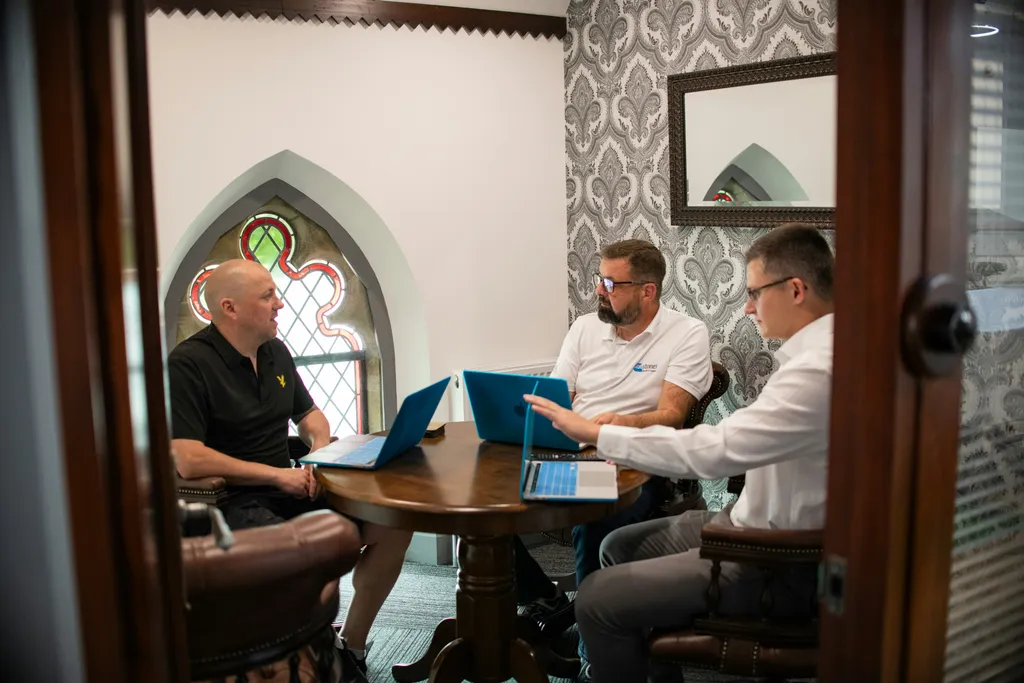
That matters because most social posts are no longer created by one person in one sitting. A writer drafts the copy, a designer creates the visual, a social manager checks timing, a reviewer approves the message, and a stakeholder may ask for changes before anything goes live. Without a shared process, each handoff becomes a delay.
The usual symptoms are easy to spot:
- missed deadlines
- duplicate work
- last-minute edits in Slack or email
- unclear ownership
- posts that go live with the wrong asset, link, or CTA
For teams, scheduling also helps build brand memory. When the same voice, structure, and approval path is used repeatedly, your content starts to feel consistent even when several people contribute. That consistency is especially important for brands that publish across LinkedIn, Instagram, and X, where the timing, format, and tone often need to be coordinated rather than posted one-off.
If your team is trying to publish more reliably, a shared workflow is usually a better fix than “being more organized.” It is the system that keeps the team organized.
Related reading:
- How to Plan Content for Social Media: A Practical Workflow for Consistent Publishing
- Content Marketing Workflow Tips That Make Social Planning Faster
What social media post scheduling for a team really includes
Scheduling is more than choosing a date and time.
For a solo creator, it might mean: write post, upload asset, pick time, schedule. For a team, social scheduling usually includes a longer chain:
- planning
- drafting
- asset creation
- review
- approval
- scheduling
- publishing
- post-publish review
That is why team scheduling needs more than a calendar. It needs shared visibility into what is planned, what is in review, what is approved, and what is ready to auto-publish.
A good team process also supports campaign-level planning. Instead of treating each post as a separate task, the team groups content by objective, audience, and channel. That makes it easier to coordinate a product launch, webinar promotion, or thought leadership series without scrambling to find the next post at the last minute.
The real goal is not just “remembering to post.” It is creating one source of truth for the team.
If you are building that system, this guide on Social Media Marketing: A Practical Planning and Scheduling Guide for Modern Teams is a useful companion.
A simple team workflow from idea to published post

A lightweight workflow is usually better than a complicated one. The best process is the one your team can repeat every week without needing constant reminders.
Here is a simple workflow that works for many modern content teams:
1. Brief
Define the goal, audience, channel, CTA, and deadline.
Owner: marketer, content lead, or campaign manager
2. Draft
Write the caption, headline, or post copy.
Owner: copywriter, social manager, or content strategist
3. Asset creation
Design images, edit video, or attach supporting files.
Owner: designer or multimedia teammate
4. Review
Check messaging, brand voice, accuracy, and channel fit.
Owner: editor, manager, or peer reviewer
5. Approval
Approve routine posts or escalate higher-risk content for final sign-off.
Owner: manager, client, legal, or stakeholder
6. Schedule
Set the date, time, platform, and any post-specific settings.
Owner: social manager or publishing owner
7. Publish
Auto-publish when possible so the team is not dependent on a manual send.
Owner: scheduler or platform automation
8. Recap
Review performance, note what worked, and log any follow-up actions.
Owner: social lead, analyst, or content manager
Keep the workflow visible with shared status labels such as Draft, In Review, Needs Changes, Approved, Scheduled, and Published. That alone can save a lot of “Did you see this?” messages.
For a deeper operational setup, see Automating Social Media Posts: A Practical Workflow for Consistent Publishing.
The features teams should look for in a scheduler

Not every scheduler is built for teams. If multiple people touch the same content, the tool should help the workflow instead of becoming another place to manage chaos.
Look for these features first:
Shared calendar
A single calendar that shows all planned posts across channels helps teams spot gaps, overlaps, and timing conflicts fast.
Approval workflows
You need a way to move content from draft to review to approved without chasing people manually.
Role-based permissions
Not everyone should be able to edit, approve, or publish everything. Access controls reduce mistakes and protect the workflow.
Comment threads or collaboration notes
Context should stay attached to the post. That prevents feedback from being scattered across Slack, email, and docs.
Auto-publishing
Scheduling tools should do more than remind people to post. They should publish automatically at the set time whenever the platform supports it.
Draft storage
Captions, images, and links should stay tied to the right post version, so no one publishes an old draft by accident.
Asset organization
Teams need a clean way to keep visuals, videos, and links attached to the correct post and campaign.
Analytics and reporting
Scheduling is only half the job. Teams also need to see what happened after the post went live.
Easy duplication and reposting
Recurring campaigns, content series, and evergreen updates are much easier when you can duplicate a strong post instead of rebuilding it from scratch.
If you are comparing options, this roundup may help: Best Social Media Scheduling Tools for Faster Planning, Approval, and Publishing.
For broader tool selection, see this overview from Hootsuite, which highlights scheduling and approvals as part of a centralized publishing workflow.
Manual posting vs spreadsheets vs a team scheduler
A lot of teams start with a mix of manual posting and spreadsheets. That is normal. It is also where the problems begin.
Manual posting
Manual posting works for very small accounts or one-person teams, but it becomes expensive fast. Someone has to remember the timing, log in at the right moment, attach the right creative, and post without error.
Spreadsheets
Spreadsheets are useful for brainstorming and tracking ideas. They can also help with lightweight planning. But they break down when the team needs live status, approval history, version control, or auto-publishing.
Shared scheduling system
A dedicated scheduler gives the team one place to plan, approve, and publish. That means fewer errors, clearer ownership, and faster turnaround.
The practical takeaway: the more people involved, the more valuable a dedicated workflow becomes. Spreadsheets may help you think. They do not help you operate.
If your team still relies on a sheet for everything, this guide on Social Media Content Calendar Template: A Practical Workflow for Planning, Scheduling, and Publishing Faster can help you bridge the gap.
How to set up roles, approvals, and brand checks

Clear roles make scheduling easier, not slower.
Start by defining four basic responsibilities:
- Creator: writes the post
- Reviewer: checks accuracy, clarity, and brand voice
- Approver: gives final sign-off
- Publisher: schedules or posts the content
In smaller teams, one person may fill more than one role. That is fine. What matters is that each step is still named and visible.
Next, limit editing access where needed. Not everyone needs full control over the post once it is near approval. Too much access can create accidental edits or duplicate versions.
Then standardize your brand checks. A quick checklist can include:
- brand voice
- CTA clarity
- compliance or legal requirements
- visual quality
- link accuracy
- channel fit
You can also use a tiered approval process:
- Routine posts: one review and one approval
- Launch content: extra review from marketing leadership or product
- Sensitive content: stricter approval from legal, PR, or client stakeholders
This keeps the process lightweight for everyday content while protecting higher-risk posts.
Approvals are not just a gate. They are a quality control step that keeps the brand consistent across contributors. For more on this, see the FAQ below or explore Guide to Social Media Management Tools: How to Choose, Use, and Get Results.
A weekly operating rhythm that keeps the calendar moving

A repeatable rhythm helps the team avoid urgent, end-of-week scrambling.
Here is a practical weekly cadence many teams can use:
Monday: plan
Review the upcoming calendar, campaign priorities, and any new requests. Confirm what should be published this week.
Tuesday: draft
Write or finalize captions, headlines, and post variations. Start any asset production needed for the week.
Wednesday: review
Send content into the review queue. Resolve feedback while there is still time to make changes.
Thursday: approve and schedule
Lock in final approvals, then schedule posts for the right times and channels.
Friday: QA and recap
Do a quick content QA pass before anything goes live. Check links, tags, visuals, and platform settings. Review performance from last week and note what should change.
This rhythm works best when the team batches similar work. For example, writing captions in one block and reviewing assets in another saves more time than jumping between tasks all week.
A short QA step also catches avoidable mistakes:
- broken links
- missing tags
- mismatched visuals
- incorrect channel formatting
- stale copy from an earlier draft
If your team publishes to multiple platforms, you may also want to review How to Schedule Posts for Multiple Platforms Without Creating Extra Work.
Common team scheduling mistakes to avoid
Even good teams can create avoidable workflow friction. The biggest problems usually come from process, not effort.
1. Overfilling the calendar
If every slot is full, there is no room for reactive content or timely updates. Leave space for flexibility.
2. Unclear ownership
If nobody owns the next step, the post stalls. Assign one person to move each item forward.
3. Approving too late
Late approvals turn scheduling into a scramble. Build in enough review time before publish day.
4. Copy-pasting the same message everywhere
Each platform has its own audience and format. Reusing the exact same copy can weaken performance.
5. Treating scheduling as the finish line
Publishing is not the end. Teams should use scheduling data and post performance to improve future content.
6. Relying on constant pings
If the workflow only works because people are chasing each other in chat, the system is too fragile.
The fix is usually simple: smaller batches, clearer owners, and a better tool for shared visibility.
For more on the mindset behind intentional publishing, see Why Posting Less Can Help You Get Better Results on Social Media.
FAQ: social media post scheduling for teams
What is social media post scheduling for a team?
It is a shared process for planning, approving, and publishing social posts with clear ownership and deadlines.
Why do teams need more than a spreadsheet?
Spreadsheets can track ideas, but they do not handle approvals, permissions, or auto-publishing well.
What should a team scheduler include?
Look for a shared calendar, approvals, role-based access, auto-publish, and reporting.
How do approvals help social teams?
Approvals reduce mistakes, protect brand voice, and keep sensitive posts from going live too early.
What is the biggest benefit of scheduling posts ahead?
It helps teams stay consistent and avoids last-minute publishing pressure.
A quick checklist for choosing or improving your scheduling process
Use this checklist to audit your current workflow:
- Do we have one shared calendar for all planned posts?
- Are roles and ownership clearly defined?
- Can content move through approvals without endless follow-up?
- Does our tool support auto-publishing?
- Are captions, assets, and links stored with the right post?
- Can stakeholders review content without clogging the workflow?
- Do we get reporting after posts go live?
- Does the tool support the platforms we actually use?
If the answer to most of these is no, your process probably needs more than better reminders. It needs a better system.
A simple rule of thumb: if your team depends on constant pings to get posts approved and published, the workflow is the problem.
The best scheduling process is not the most complex one. It is the one your team can repeat every week without chaos.
If you are ready to simplify the way your team plans and publishes content, explore more resources on the Postless blog or browse content strategy articles.